
Six years ago, I wrote a somewhat heartfelt blog post called Discontinuing Arcentry.
In it, I talked about walking my dog (a very fluffy Samoyed) until she didn’t want to walk anymore, while trying to decide whether I should sell Arcentry.
In the end, I did.
Five years later, I somehow managed to get it back. How exactly that happened is a story for another time.
So today, I’m very happy to write the opposite blog post.
Arcentry is back.
And my dog is still with me too - although, sadly, her stamina runs out quite a bit faster these days.
A lot has changed
Over the last few months, I’ve rebuilt and modernized large parts of Arcentry.
There are now more than 700 components covering cloud providers, APIs, AI platforms and models, open-source software and on-premise infrastructure.
The rendering pipeline has been substantially improved, particularly for high-resolution and high-DPI displays. There are dozens of smaller changes to the editor, workflows and exports as well.
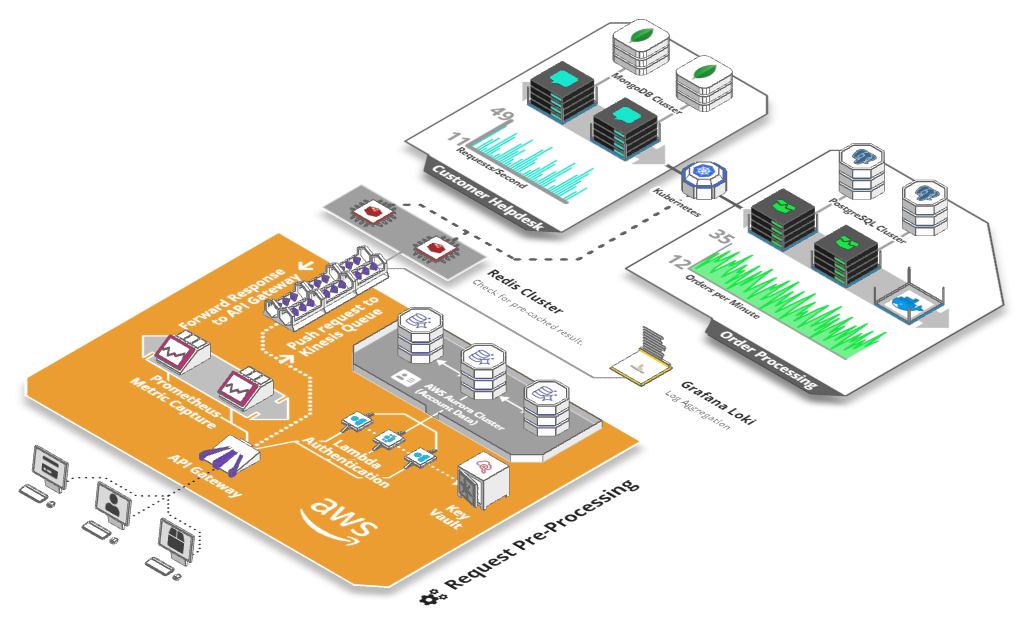
At its core, though, Arcentry is still what it always was: a tool for creating infrastructure diagrams without fighting your diagramming software.
You can build diagrams in 3D or 2D, export them as images, embed them into websites and blog posts using an interactive viewer, or control them through an API to display live metrics and act as the visual entry point into a monitoring stack.
But there is one part of Arcentry that I’m particularly excited about bringing back.
Automatically creating infrastructure diagrams
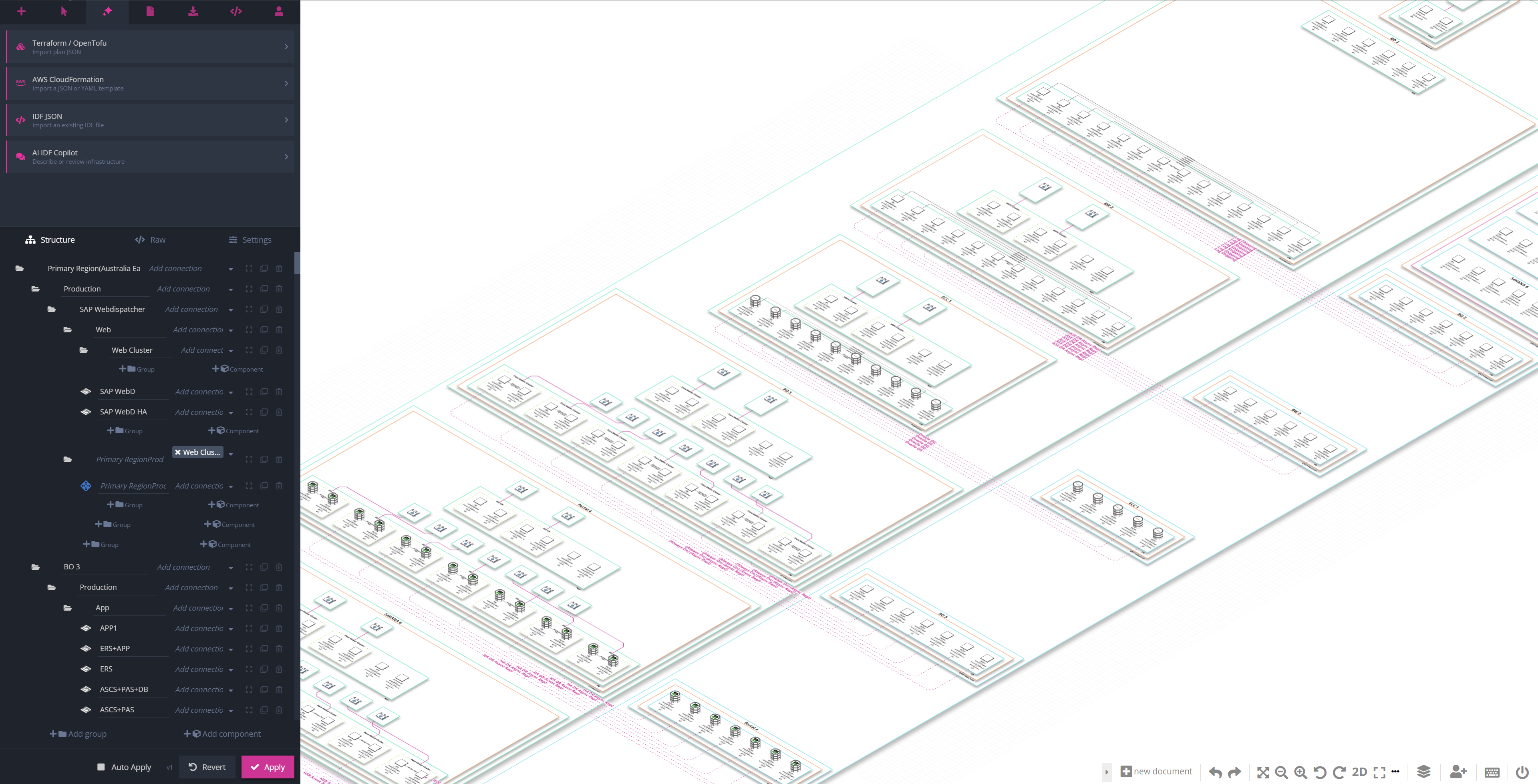
Interestingly, Arcentry wasn’t primarily acquired for its interface - but for its ability to take a long, unstructured list of infrastructure concepts - load balancers, servers, databases networks, security groups and so on - crunch through it and spit out a diagram that isn’t just well laid out, but also makes sense.
We called the format behind this Infrastructure Description Format, or IDF. (Yes, I know… But this was 2019.)
IDF is deliberately simple. It describes the components in an infrastructure stack, how they are grouped and how they connect to each other.
Originally, the idea was mostly about automation.
You could send Arcentry’s API a CSV or JSON file describing your infrastructure and get a rendered architecture diagram png back. That made it useful for integrations, documentation pipelines, AI models and infrastructure tooling.
Six years later, that idea has become a lot more interesting.
Import your infrastructure as code
You no longer need to create the IDF yourself.
Upload a Terraform, OpenTofu or CloudFormation template and Arcentry will analyze it, extract the relevant infrastructure and turn it into an IDF and a diagram.
From there, you can change names, reorganize groups, adjust connections or remove things you don’t want to show.
Every change can immediately be turned into a new diagram.
Or just describe what you want
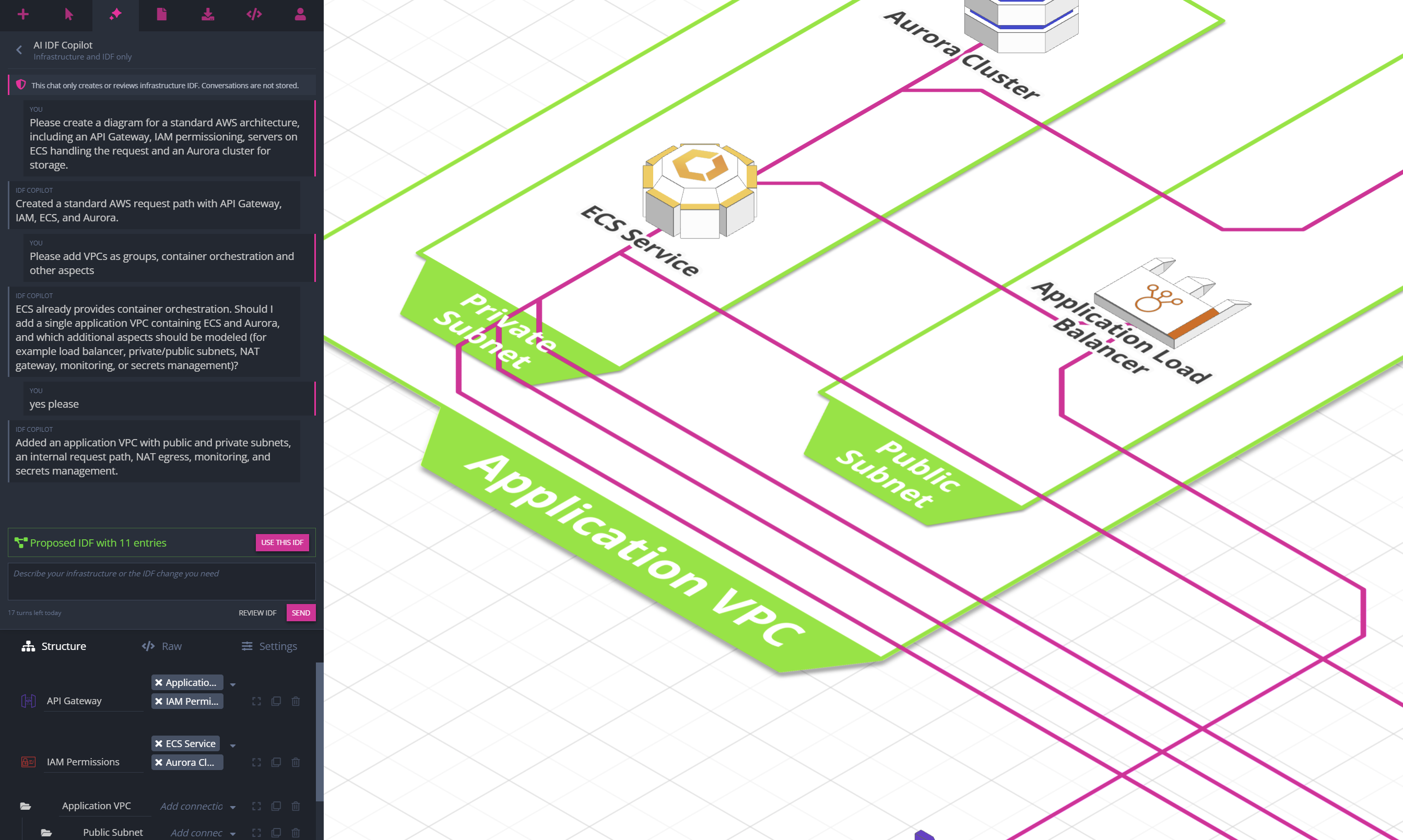
You can also generate a diagram from natural language.
Describe the infrastructure you want to build, answer a few questions where necessary, and Arcentry creates the corresponding IDF for you.
This is one of those cases where something designed years before LLMs became useful turns out to fit them surprisingly well.
IDF is simple enough for an AI model to generate reliably, but structured enough for Arcentry to turn the result into a deterministic, properly laid-out infrastructure diagram.
And because you can see and edit the IDF yourself, you’re never stuck with whatever the model happened to produce.
The diagram is still yours
This part is important to me.
An automatically generated diagram isn’t some separate AI artifact that you have to accept as-is.
It becomes a normal Arcentry diagram.
You can move things around, change components, add custom icons and images, add charts and monitoring widgets, change styles, reorganize groups or keep editing it completely by hand.
Automation gives you a starting point. It doesn’t take the editor away from you.
And yes, it still costs $9.90
I briefly considered using the relaunch as an opportunity to introduce three pricing tiers, a usage-based AI credit system and an enterprise plan with a mysterious “Contact Sales” button (okay, we sorta have that one).
I decided against it.
Arcentry is still $9.90 per month for the full product, just as it was six years ago.
You can try it for free with up to three diagrams and 30 components per diagram. If you like it, subscribe. If you don’t need it anymore, cancel.
That’s it.
It feels very good to have Arcentry back.
I hope you enjoy using it again.